Data, starter kit, and baseline reproduction
This page is a compact guide for getting started with UNOBench. It explains which repository to use for each task and links to the detailed documentation maintained in the method, challenge, and dataset repositories.
UNOBench on Hugging Face
Download RGB images, Set-of-Mark images, annotations, challenge queries, and metadata.
Open dataset READMEUNOBench Challenge example
Use the minimal runnable examples to verify query files, prediction format, and local evaluators.
Open challenge READMEUnoGrasp reproduction code
Run UnoGrasp inference and evaluation on the released synthetic small split with public checkpoints.
Open method READMEWhich repo should I use?
| Goal | Use this repo | Go to details |
|---|---|---|
| Download or inspect UNOBench files and metadata. | Hugging Face dataset repo | Dataset structure |
| Check challenge input and output format before submitting. | Challenge starter kit | Challenge quick start |
| Reproduce UnoGrasp inference and evaluation. | UnoGrasp method repo | Method quick start |
Recommended workflow
1Download the dataset
Start from the Hugging Face dataset repo. It contains the full file list, download commands, archive extraction instructions, and metadata descriptions.
hf download FBK-TeV/UNOBench \
  --repo-type dataset \
--local-dir ./UNOBench/UNOBenchSyn2Choose an evaluation setting
UNOBench supports a Set-of-Mark setting and a natural-language setting. Use the challenge starter kit to understand the exact query and prediction formats.
3Run either the starter kit or the full method
For a format sanity check, run the challenge starter kit evaluators. For reproducing the released UnoGrasp results, use the method repo with the released checkpoints and the synthetic small split.
Dataset at a glance
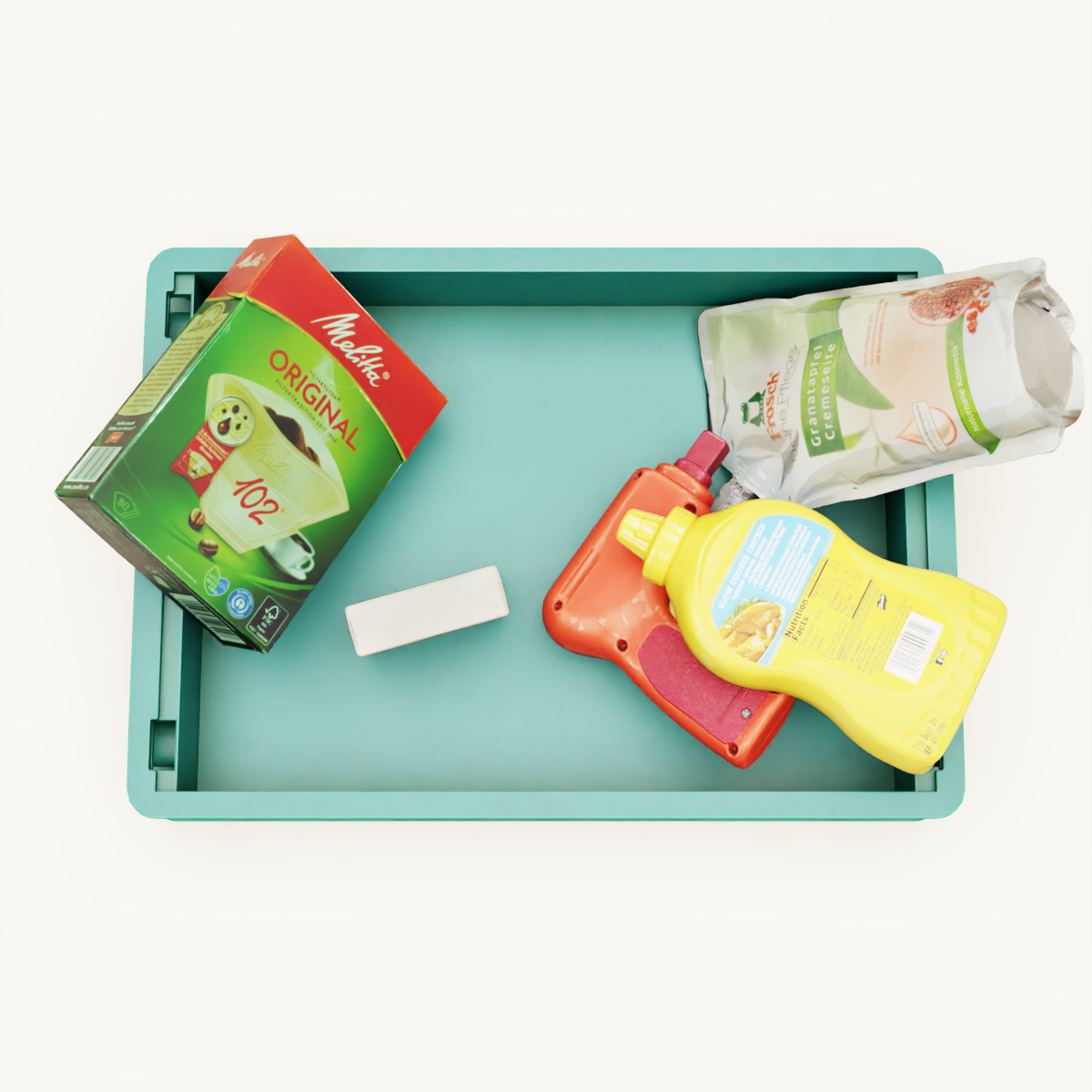
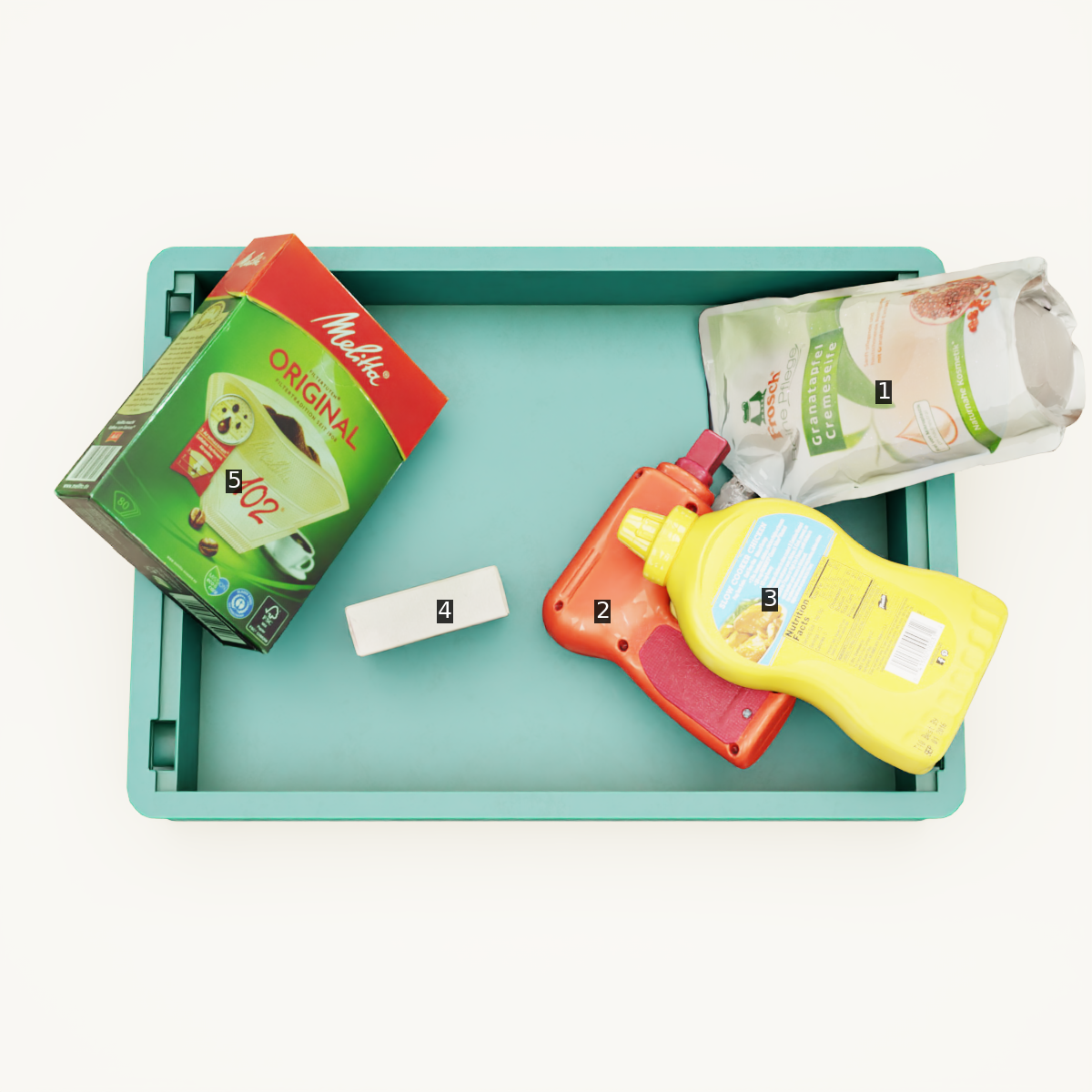
Both evaluation settings can be used by VLM-based methods. The Set-of-Mark setting also supports non-language classical methods, graph-based reasoning, and modular robotic pipelines.
RGB / NLP input
Set-of-Mark input
Metadata
{
  "index": 1992,
  "image_path": "images/image_000578.png",
  "som_image_path": "images_som/image_000578.png",
  "image_id": 578,
  "query_object": {
    "obj_id": 2,
    "object_name": "red and orange toy drill"
  },
  "target_objects": [
    {
      "obj_id": 3,
      "object_name": "yellow detergent bottle"
    }
  ],
  "occlusion_paths": [[3, 2]],
  "difficulty": "Easy",
  "k_min": 1,
  "num_paths": 1,
  "only_som": 0
}
Adapting Metadata to Your Method
You can use the provided UNOBench metadata to generate datasets tailored to your own method. For example, UnoGrasp uses a prompt-generation script to convert UNOBench metadata into VQA-style data with human instruction prompts and the UnoGrasp system prompt for training and evaluation.